Open: Manual Mode → voucher type → Manual Reports → Day Book
Before you begin
Have a source reference and know the accounts, date and amount. A journal requires balanced debit and credit lines.
Practise in a test company first. Check the active company and your permissions. Available options depend on your plan, role and platform.
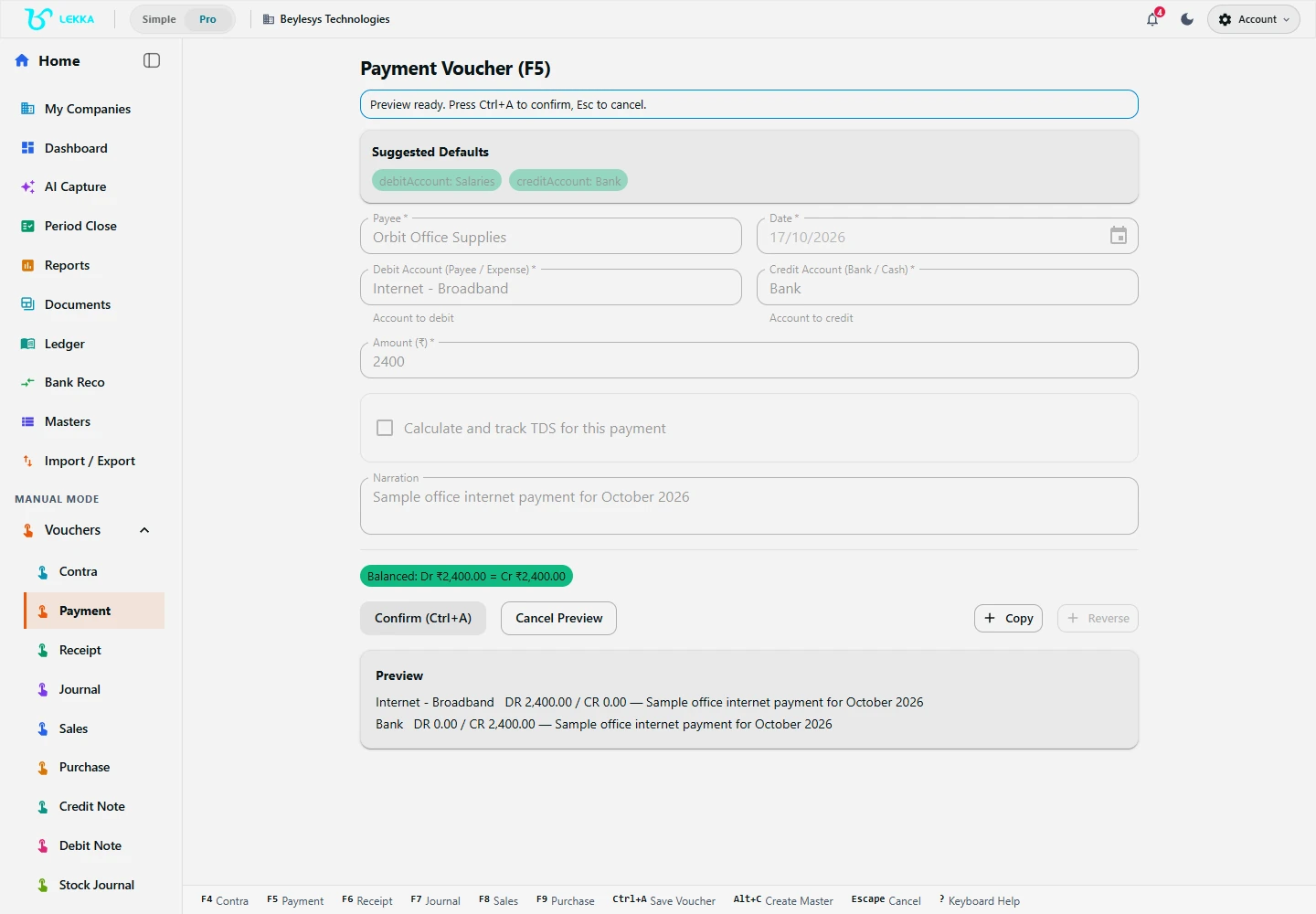
Check the balanced payment preview before selecting Confirm. This demonstration preview has not been posted.
Beylesys Technologies · local test company · sample records- 01
Check the company and switch to Manual Mode. Choose Sales or Purchase for invoices, Receipt or Payment for money movements, Contra for transfers between your own cash/bank accounts, or Journal for an adjustment.
- 02
Enter the date, party or accounts, document reference and narration. Complete item lines when the chosen voucher requires them.
- 03
Check amounts and account direction. For a Journal, make total debits equal total credits; for Contra, verify both source and destination accounts.
- 04
Use Save or Preview and read the proposed accounting entries and validation messages. Correct invalid fields and generate a fresh preview.
- 05
Complete the final confirmation and wait for the posting result.
- 06
Open Manual Reports → Day Book or Ledger, set the matching date range and open the saved voucher to verify its details.
Check your result
The voucher appears in the correct period with balanced entries.
If something doesn’t look right
Resolve validation messages before posting. Check the period and account selections if the entry is missing from a report.
Contact support →