The bank matches itself. You just check the work.
Upload the statement. We suggest the matches, draft vouchers for the lines we don’t recognise, and you confirm. Your ledger and your bank agree — and you can see why.
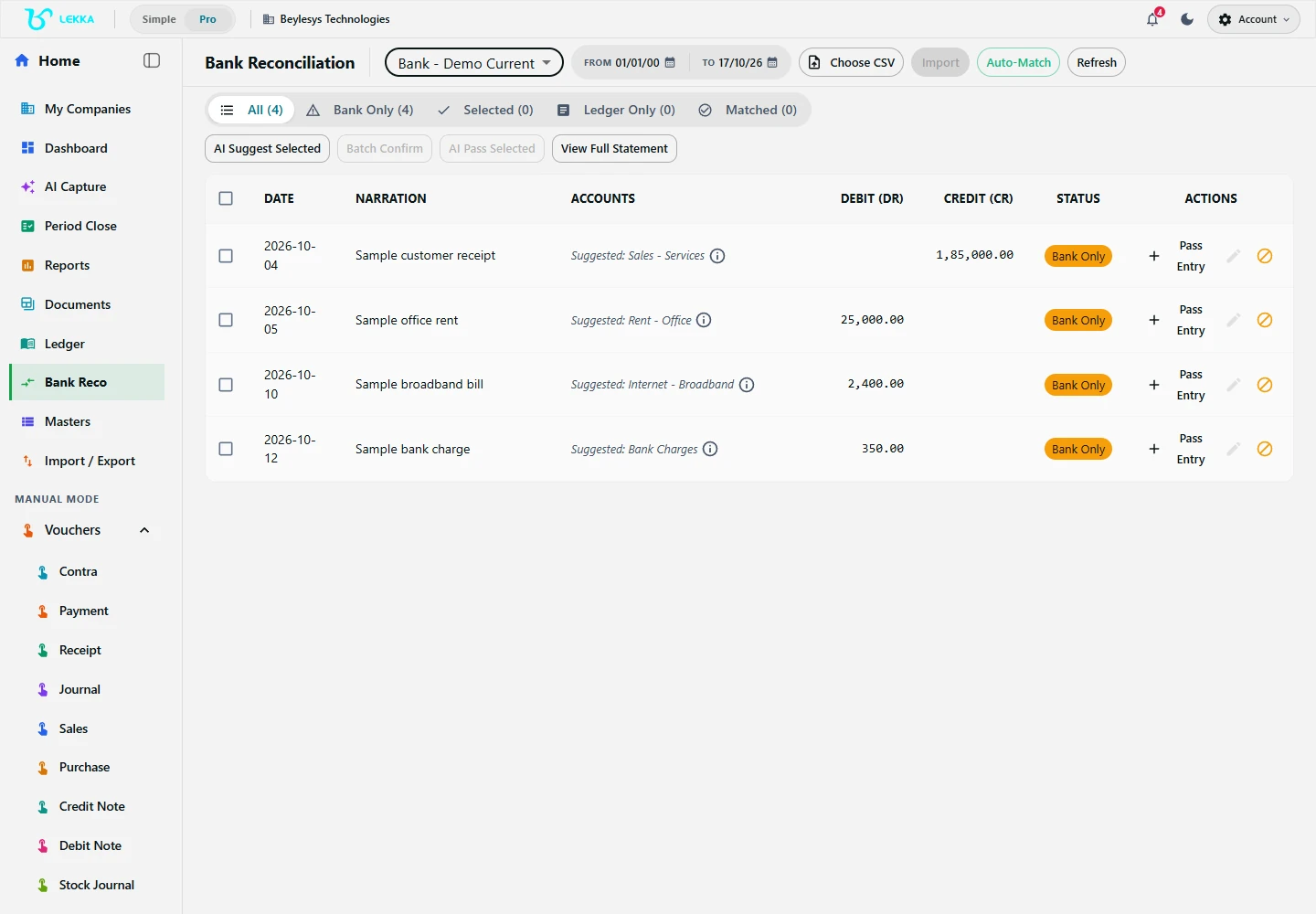
Bank reconciliation is a separate review step: bring in a statement and check its lines against your books.
Beylesys Technologies · local test company · sample recordsMatching is suggested; decisions stay yours
Exact matches first, AI second
Exact amount-and-date matches resolve instantly. AI only steps in for the ambiguous lines, with a confidence score you can judge.
Unknown lines become vouchers
Bank charges, UPI collections, interest — an editable voucher is drafted from the statement line. Nothing posts without your confirmation.
Rules do the repetitive work
Save rules for recurring narrations, review the batch preview they produce, and confirm in one go. Boundaries stay explicit.
From statement file to zero difference
Import the statement
Choose the bank account and period, then upload the statement file — supported CSV files are accepted; convert other formats and check imported rows and totals.
Review suggested matches
Each line shows its proposed ledger entry with a confidence score. Accept, pick a different match, or mark it unmatched.
Draft vouchers for the rest
Unmatched lines get an editable voucher preview — set the ledger, check the tax, confirm. Duplicates are flagged, not posted twice.
Confirm and check the difference
The closing difference shows remaining items. Reconcile to zero, or leave a visible unexplained amount to chase.
What's included
Everything between the statement and the ledger.
Statement imports
Choose your bank account and period, then upload your statement.
Suggested matches
Rules first, AI next. Review each suggestion with its confidence score.
Editable voucher drafts
Turn any unmatched line into a voucher preview you can edit.
Duplicate detection
Flag duplicates across statements you have already imported.
Reusable bank rules
Save rules, review suggestions and confirm recurring entries in batches.
Pending items, kept visible
Unresolved lines stay on your list until you clear them.
Reconciliation summaries
See where things stand for each bank account and period.
A complete audit trail
Trace every match, edit and confirmation.
April’s HDFC statement in one sitting
Forty-one statement lines, three kinds of work.
- 1
Import hdfc_apr.csv against “HDFC Bank — Current A/c” for 1–30 April.
- 2
Thirty-six lines match existing vouchers deterministically — receipts against invoices, payments against bills.
- 3
Four lines need you: two bank-charge drafts (rule suggestion: “Bank charges”), one UPI collection matched to a customer at 91% confidence, one genuinely unknown line left flagged.
- 4
Confirm the batch. The closing difference is the single flagged line — visible until you resolve it next week.
Result: 40 of 41 lines reconciled in minutes, one item explicitly pending — not buried.
FAQ's
Re-imported lines are detected against earlier imports and flagged, so nothing posts twice.
Yes — any unmatched line opens an editable voucher preview. You set the ledger and tax treatment, then confirm.
Save rules from past confirmations (e.g. narration contains “charges” → Bank Charges ledger). Rules draft vouchers in batches that you review before posting.
Your next statement, reconciled in minutes.
Explore the workflow, upload last month’s statement, and watch the matches line up for review.