Familiar vouchers. Connected books.
Your accountant can ignore the AI entirely. Payment, receipt, journal, contra, sales and purchase vouchers work the way they always have — fast to enter, easy to trace, and connected to every report.
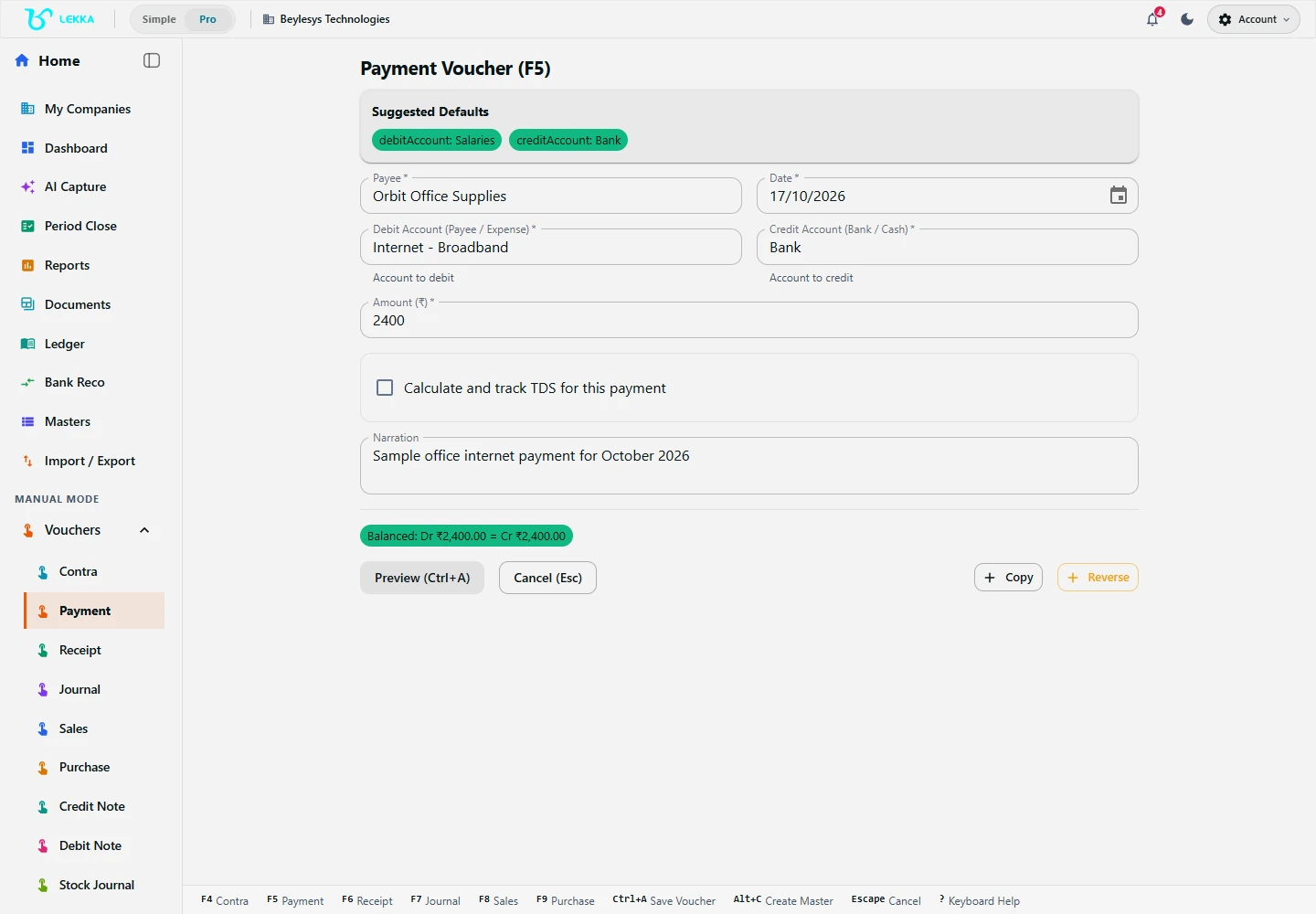
Manual entry gives you a structured voucher form. Check the accounts, date and amount before saving.
Beylesys Technologies · local test company · sample recordsBuilt for people who already know accounting
Keyboard-first entry
Tab through party, ledger, amount and narration without touching the mouse. Vouchers fly in at register speed.
Every register you expect
Each voucher type has its own register, and the Day Book shows the full day’s activity with debit/credit detail — nothing hidden, nothing reordered.
Same controls as AI entry
Manual vouchers share the same audit trail, SHA-verified snapshots and period-close checks. And they never consume AI credits.
A payment voucher, start to finish
Pick the voucher type
Payment, receipt, journal, contra, sales or purchase — each opens with the right fields and defaults.
Enter the lines
Party, ledger, amount, cost centre where needed. Account lookup suggests from your chart of accounts as you type.
Check the balance
Debit must equal credit before posting — the voucher shows any difference instead of letting it through.
Post and trace
The voucher lands in its register, the Day Book, party ledgers and every affected report at once.
What's included
The full manual toolkit, all connected.
Payment, receipt, journal, contra, sales and purchase vouchers
Sales and purchase lines with party, items, GST and totals, plus printable output
Recurring vouchers: set a template, review the schedule, post on time
Bulk grid entry for high-volume days — paste rows, validate, post
Voucher registers and the Day Book with debit/credit detail
Chart of accounts and account statements, traceable to every entry
Masters for parties, accounts, items and tax details, with opening balances
Corrections recorded as visible follow-up vouchers — books are never silently rewritten
Month-end salary in three minutes
How an accountant posts salary with a recurring template.
- 1
Open the recurring voucher template “Monthly salary — April” and review the pre-filled lines.
- 2
Update the one figure that changed: a reimbursement added to one employee’s line.
- 3
The voucher checks debit = credit: ₹2,84,000 across salary expense, TDS payable and bank.
- 4
Confirm. It posts to the journal register, the Day Book, and the TDS aggregate for the quarter.
Result: one journal voucher, TDS §192 tracked, and the entry visible in every affected report immediately.
FAQ's
Payment, receipt, journal, contra, sales and purchase — plus credit and debit notes, and the stock journal for inventory movements.
Posted vouchers are corrected with a visible follow-up voucher, keeping the audit trail intact. Drafts can be edited freely before posting.
Yes, in the Windows desktop app. Supported manual vouchers, registers and reports work locally while offline access is valid. Offline access lasts up to 30 days after online verification and can end sooner when the subscription expires. Reconnect to refresh access; expired offline access becomes read-only. Cloud-dependent features still need internet.
Vouchers the way you already know them.
Explore the workflow and post your first payment voucher in a familiar register — no AI required.