Bring your books with you.
Connect to running Tally to fetch records automatically. For other accounting tools, export your files first, then upload each supported file manually through Import / Export. Review mappings and reconcile balances before continuing.
Fresh start or full history
Pick the path that matches how much of the past you need at your fingertips.
Start fresh
Set up masters quickly, enter opening balances, and begin capturing from today. Best for new businesses, or older ones whose history can stay archived in the old system.
- Guided opening-balance entry with TB check
- Quick masters setup for parties, accounts and items
- Old records stay available as archived exports
Bring your records
Import masters, opening balances and voucher history through the wizard — or bridge directly to Tally Prime from the desktop app.
- Tally XML, CSV, Excel and ZIP inputs
- Mapping report and needs-review queue
- Trial Balance reconciliation before go-live
Import your records in four steps
For other accounting tools, export records from the source app first, then manually upload each supported file through Import / Export. Review each import and reconcile the totals.
Choose what to bring
Masters, opening balances, voucher history or stock — from Tally XML, CSV, Excel or ZIP exports.
Map the fields
Match your old ledgers and columns to Beyle Lekka fields. Your mapping choices are remembered for next time.
Review what it found
The import report splits clean records from the ones that need a look. Clear that queue and you’re done.
Check the balances
Compare the Trial Balance against your old system, side by side. You finish when both agree to the rupee.
Direct from Tally, on your own machine
Direct, automated connections currently support Tally only. The Windows desktop app talks to a running Tally Prime over localhost — pulling ledgers, vouchers, Trial Balance, Balance Sheet, P&L and stock summary straight into Beyle Lekka. Browser-only? The import wizard with Tally XML exports covers the same ground, one file at a time.
- Requires Tally Prime running on the same Windows machine
- No file exports needed — the bridge reads over localhost
- Start follow-up imports manually for the required dates, then reconcile the results
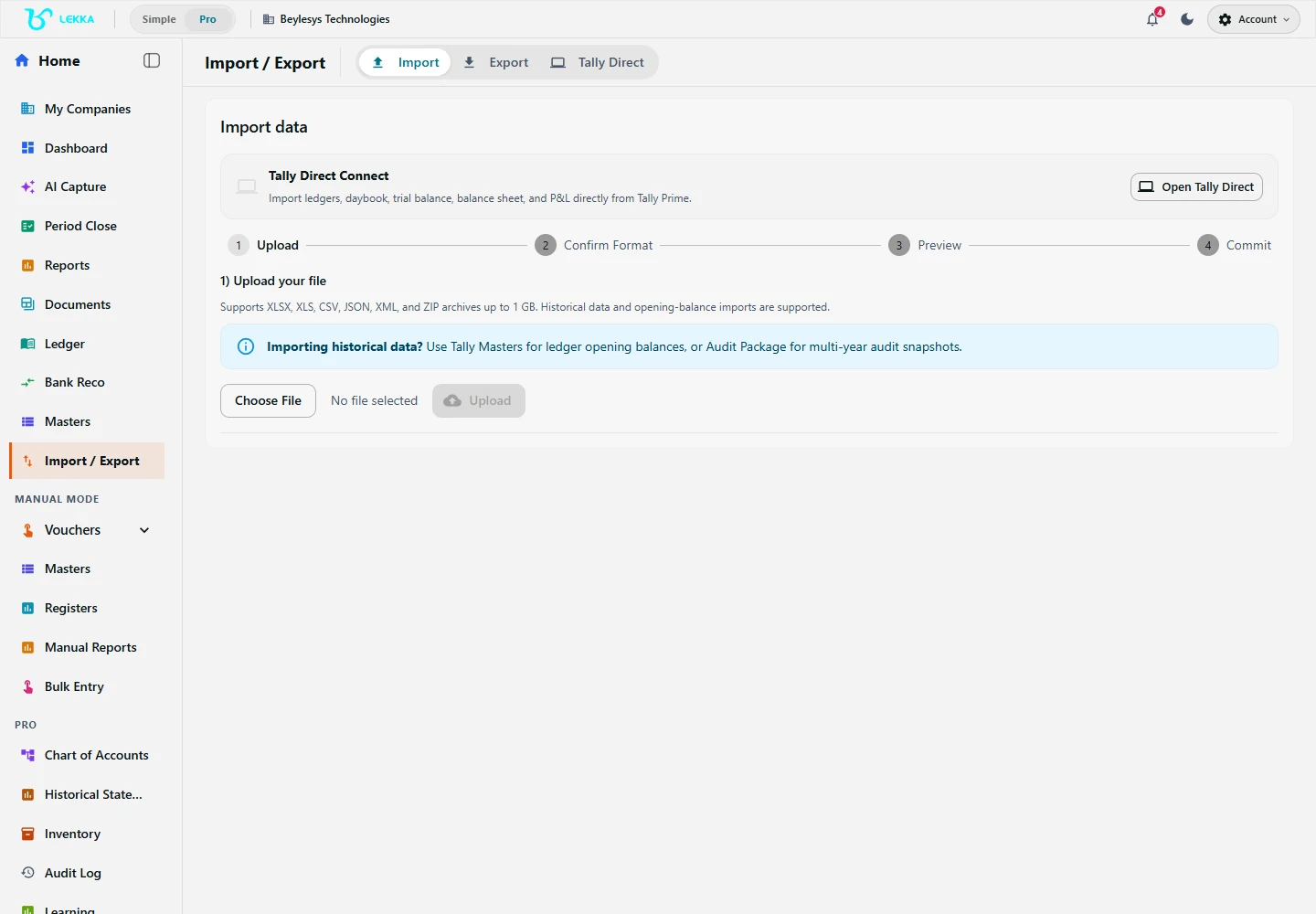
The actual Import / Export starting screen. Choose the import workflow or open Tally Direct when your installation supports it; no Tally connection is shown in this example.
Beylesys Technologies · local test company · sample recordsProve the move before you trust it
Migration is finished when the numbers agree — not when the upload ends. The legacy Trial Balance comparison lines your old balances up against the imported ones and shows every mismatch for investigation.
Go-live checklist
- Trial Balance matches the old system, account by account
- Nothing left in the needs-review queue — every record placed on purpose
- Opening stock quantities match the old stock summary
- GSTIN, tax rates and TDS payee masters spot-checked
- A delta import scheduled for records created after the first cut
FAQ's
Anything your old system can’t export. The wizard reports exactly what it read, what it placed and what needs review — so gaps are visible, never silent.
Yes. Many businesses run both during the move and use delta imports to stay caught up. It’s import-and-verify, not a live two-way sync.
Use import tools and help guides to prepare your records. Contact us to confirm migration assistance for your setup.
Move with a safety net.
Contact us to confirm migration assistance for your setup. Tell us what you’re moving from, and we’ll plan the switch with you.