Clean books without learning accounting.
You shouldn’t need accounting words to keep your books. Type a sale or an expense the way you’d say it. Then look at one screen to see who’s yet to pay, what’s in the bank, and what you actually made.
A Tuesday, with Beyle Lekka
- 01
Morning — capture yesterday’s sale
Type or dictate the sale while the chai is still hot. The invoice and journal are drafted together; you confirm and share the PDF on WhatsApp.
- 02
Midday — check who owes you
Open receivables ageing: three customers past 30 days. Send statements from the same screen instead of digging through the ledger.
- 03
Afternoon — upload supplier bills
Two purchase bills photographed on your phone become reviewed vouchers with GST split — the originals stay filed against the entry.
- 04
Evening — glance at the dashboard
Sales this month, bank balance, top expenses. Numbers you can act on, in language you already use.
- 05
Month-end — your CA logs in
Your accountant reviews the same books with their own login — no USB drives, no "final FINAL backup" files over email.
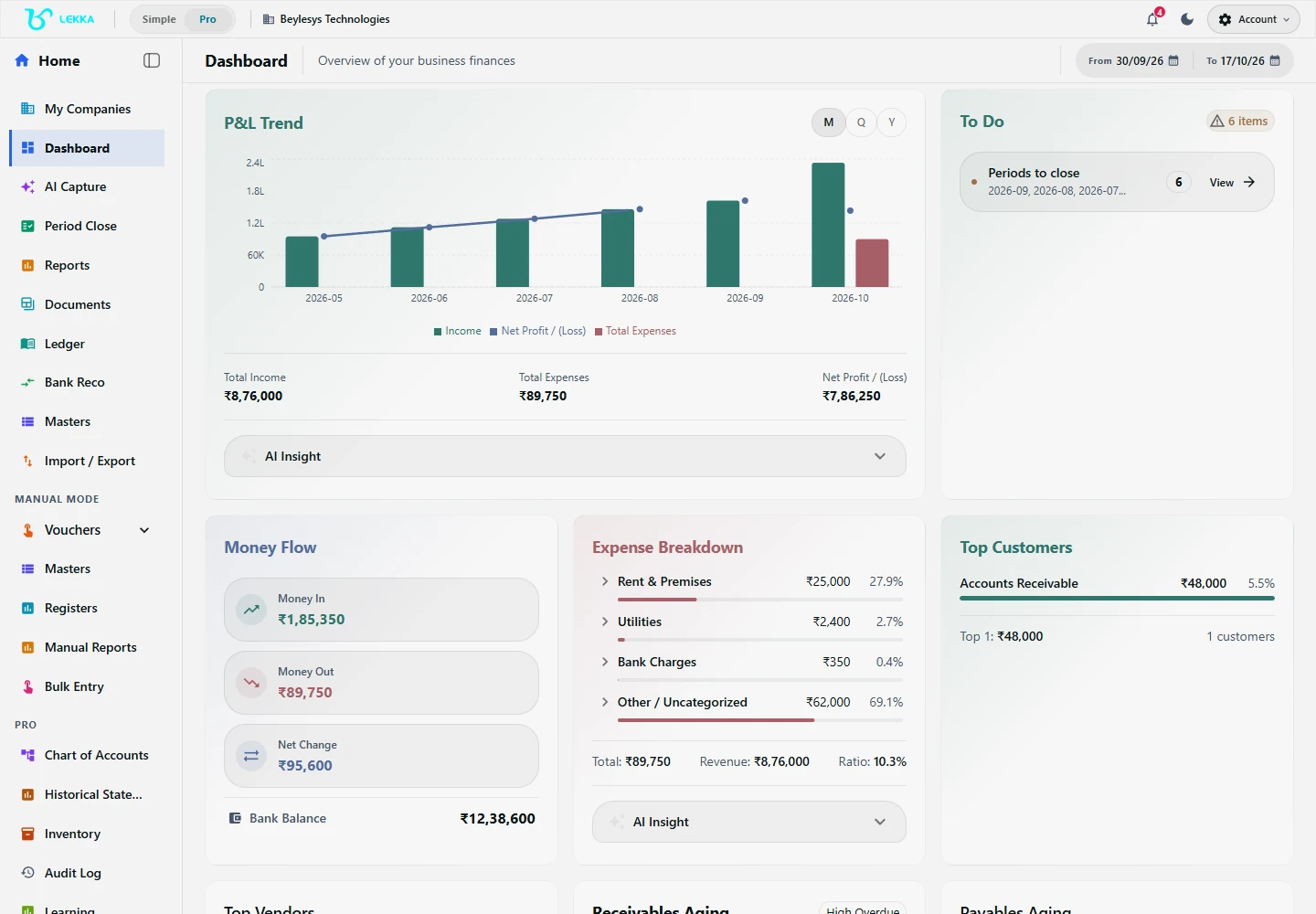
Start from the company dashboard and open the accounting workspace you need.
Beylesys Technologies · local test company · sample recordsLess chasing. More getting things done.
"I don’t speak accounting."
Debits, credits and ledgers are a second language — and hiring a full-time accountant is not in the budget yet.
Type a sentence, get a proper double-entry voucher. You read a plain-English preview; the accounting happens underneath.
"My CA gets a shoebox in March."
Bills, bank statements and spreadsheets pile up all year and get reconstructed under deadline pressure.
You capture things as they happen, documents stick to their entries on their own, and your CA can look at the live books whenever they like.
"I never know my real position."
Money in the bank is not profit — but traditional software makes answers a report-generation project.
The dashboard shows sales, dues, expenses and bank balance as they are right now. Ageing and P&L are one click away when you want more.
What changes in the first month
What typically happens when a one-owner business moves off spreadsheets and shoeboxes.
Daily
books updated as transactions happen, not at year-end
1 click
from a sentence to a posted, reviewed voucher
0
accounting terms you need to learn first
100%
of entries visible to your CA, with a full audit trail
Basic supports one user and one business. Choose Plus for a team or Max for multiple businesses. Review current prices and limits in Billing.
FAQ's
Yes. Invite your CA with read-only, close-only or full access. They see the same live books you do, add review notes, and handle period close — no file transfers.
You can export your journals, reports, documents and masters before cancelling. Export formats are standard (Excel, CSV, PDF), so your records stay usable anywhere.
Yes — items, warehouses, batches and returns are built in. Sales and purchases update stock automatically, and manufacturing workflows depend on your configuration and access.
Your first voucher is one sentence away.
Explore the workflow and record a real sale or expense in your own words — your CA will thank you in March.