Keep sales, purchases, and adjustments connected.
Every invoice, receipt and return is one document and one accounting entry at the same time. Outstanding balances, party ledgers and stock update the moment you confirm.
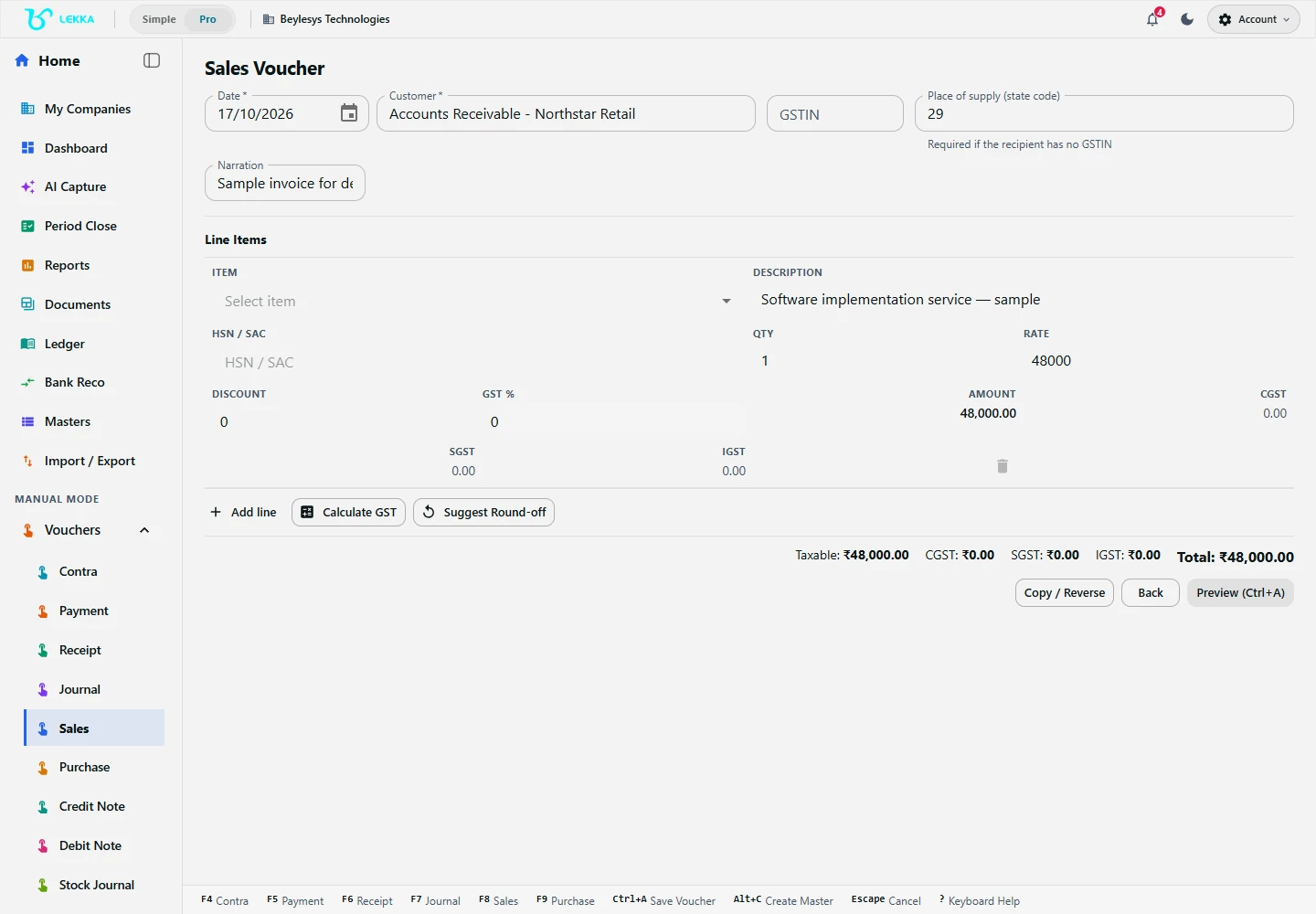
A sample service invoice draft with a customer, description, quantity and rate. This example has no GST and has not been posted.
Beylesys Technologies · local test company · sample recordsThe bill and the books, finally the same thing
No double entry of any kind
The invoice you send is the voucher in your books. Share the PDF, and the ledger, outstanding balance and GST reports are already updated.
Adjustments stay linked
Credit and debit notes stay linked to the original transaction, so you can trace any return or correction back to its source — and so can your CA.
Collections get easier
Receipts allocate against specific invoices. Ageing shows who owes what, for how long, without a spreadsheet on the side.
From quote-less sale to collected payment
Choose party and items
Pick the customer and line items from your masters — rates, units and tax details fill themselves.
Review taxes and totals
GST splits (CGST/SGST/IGST) are computed per line; the preview shows the exact invoice before it exists.
Post and share
Confirm to post the voucher, then share or print the invoice PDF with your branding.
Record the receipt
When money arrives, allocate it against the invoice. Outstanding drops, ageing updates, bank reconciliation suggests the match.
What's included
The complete sales and purchase cycle.
Sales invoices with party, line items, GST and totals — previewed before posting
Purchase bills with ITC eligibility tracking into GSTR-3B
Receipts and payments allocated against specific invoices
Credit and debit notes linked to original transactions, with stock effects
Outstanding balances and receivables/payables ageing per party
Document library: every source file attached to its entry
Branding, templates, printing and PDF export for invoice output
Returns flowing through to stock quantities and party ledgers
A sale, a return, and a clean trail
What happens when Sharma Stores returns part of an order.
- 1
Invoice INV-0043 went out on 5 April: 40 units, ₹52,000 on credit — stock reduced automatically.
- 2
On 7 April, 4 units come back. You raise credit note CN-0011 against INV-0043; the link is recorded.
- 3
Stock increases by 4 units, the receivable drops to ₹46,800, and GST output adjusts for the month.
- 4
When the balance payment arrives, the receipt allocates against INV-0043 and the invoice clears.
Result: one customer, three linked documents, and ledgers that explain themselves to your CA.
FAQ's
When a credit note records a return of goods, the linked stock quantity updates automatically on plans with inventory.
Yes. Templates support your logo, colours and terms, with print and PDF output.
Each line carries HSN/SAC and rate; the voucher splits CGST/SGST or IGST by place of supply, and the totals flow to GSTR-1 and GSTR-3B views.
Send the invoice. The books are done.
Explore the workflow and raise your first invoice — the voucher, outstanding and GST entries come with it.