Bring your records with a clear review trail.
Connect to running Tally to fetch records automatically. For other accounting tools, export your files first, then upload each supported file manually through Import / Export. Review mappings and reconcile balances before continuing.
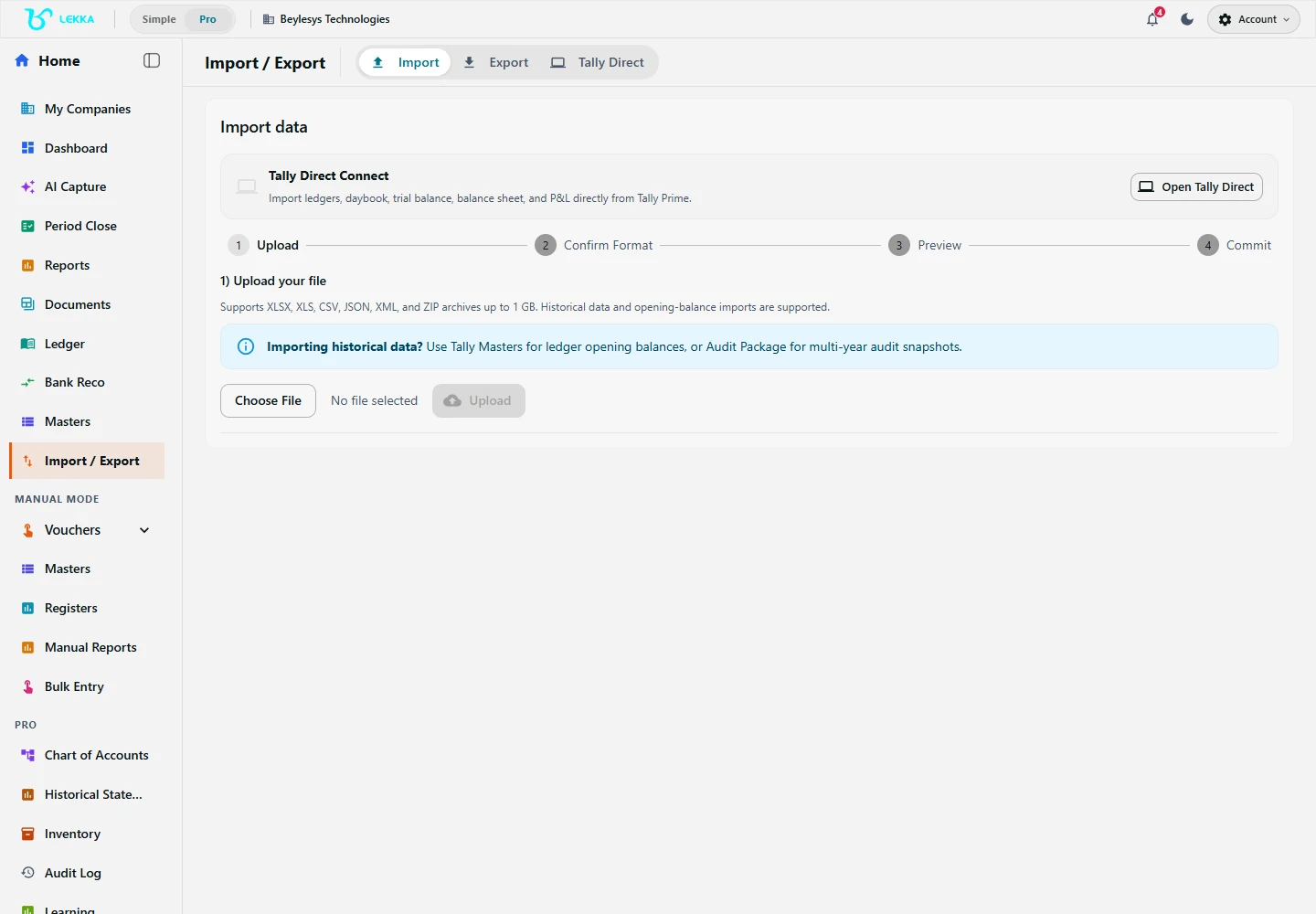
Use Tally Direct to fetch records from running Tally, or manually upload each supported file exported from another tool. Export options are also available here.
Beylesys Technologies · local test company · sample recordsMigration with proof, not promises
Checked before anything lands
The wizard maps fields, flags what it cannot place, and holds uncertain records in a needs-review queue — nothing sneaks in half-read.
Reconciliation built in
Compare the imported Trial Balance against your old system line by line. Migration finishes when the balances agree, not when the upload ends.
The door works both ways
Export supported records in the formats offered by each workflow, including Excel, CSV, PDF or JSON. Check selected sections and dates, and download records before access ends. These exports are not a complete device backup.
The import wizard, step by step
Choose what to bring
Masters, opening balances, voucher history or stock — Tally XML, CSV, Excel and ZIP inputs are supported.
Map the fields
Match your old columns and ledgers to Beyle Lekka fields, with suggestions from previous imports.
Review diagnostics
The import report lists what landed cleanly and what needs you. Work the needs-review queue until it is empty.
Reconcile and repeat
Run the Trial Balance comparison against your old system, then manually start follow-up imports for the required date range and reconcile their results.
What's included
What moves, in both directions.
Import wizard for Tally XML, CSV, Excel and ZIP files
Field mapping with saved suggestions across imports
Import diagnostics and a needs-review queue for uncertain records
Legacy Trial Balance comparison for verification
User-started follow-up imports for selected date ranges, with review and reconciliation
Tally Prime bridge via the Windows desktop app — direct localhost fetching after you start an import
Export of journals, reports, documents and masters to Excel, CSV, PDF, JSON
Statement and supporting-package exports from the Schedule III workflow
Eight years of Tally, moved in a weekend
A realistic path for an established business.
- 1
Friday evening: export masters and opening balances from Tally as XML; run the wizard; mapping report shows 1,240 ledgers placed.
- 2
Saturday: import FY 2025-26 vouchers as ZIP; 312 vouchers land in the needs-review queue, mostly old parties with changed names.
- 3
Work the queue with your accountant; run the TB comparison — it ties to the Tally Trial Balance to the rupee.
- 4
Sunday: switch the books to live in Beyle Lekka and manually start follow-up imports as needed while Tally winds down; check for duplicates and reconcile each result.
Result: history intact, opening balances proven, and a clean cut-over with a paper trail.
FAQ's
Yes. Export your records from the source tool, then open Import / Export and manually upload each supported file. Review mappings, validation and balances for each upload. Direct, automated fetching from a running accounting app currently supports Tally only.
Yes. Many businesses run both during transition and manually start follow-up imports for the required date range and reconcile the results. It is import-and-verify, not a live two-way sync.
Use the available export options for journals, reports, documents and masters. Formats vary by workflow and include Excel, CSV, PDF and JSON. Download required records before your account access ends.
Use import previews, diagnostics and help guides, and contact us to confirm guided migration assistance.
Switch without the leap of faith.
Explore the workflow, run the wizard on a copy of your data, and reconcile before you commit to anything.